
Quantum Wave
Market Structure & Trend Phase
Reads market structure, impulse and correction phases so you always know what the trend is actually doing.
See it on your chart
Wave count, target zones, confirm and invalidation levels, drawn live on TradingView.
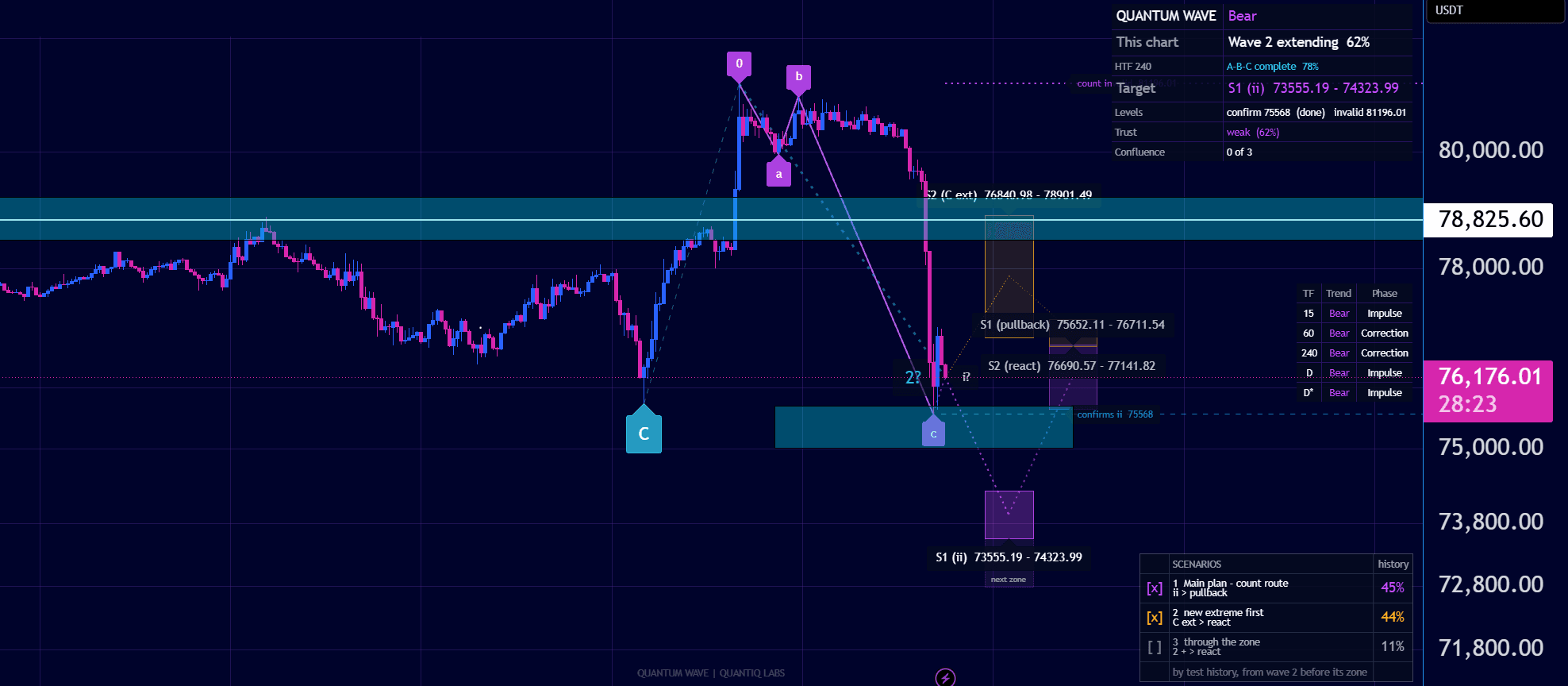
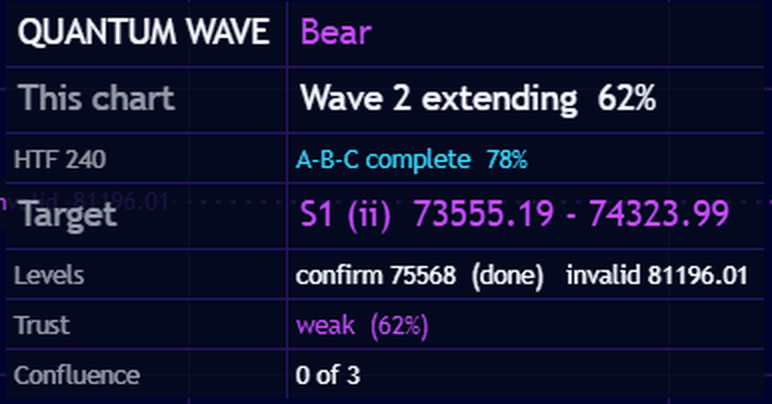
The full read in one panel
Current wave, higher-timeframe context, target zone and the levels that confirm or invalidate the count.
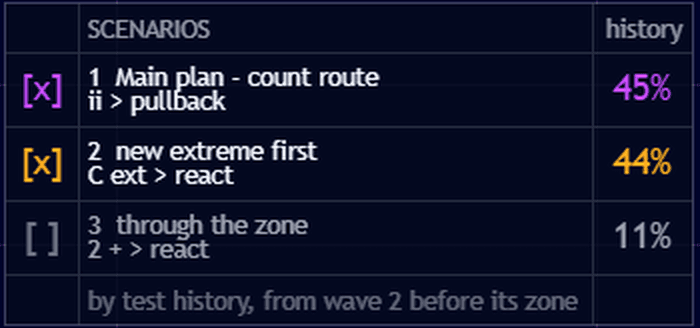
Scenarios, not certainties
The main plan plus the alternatives, each with how often it played out in test history.
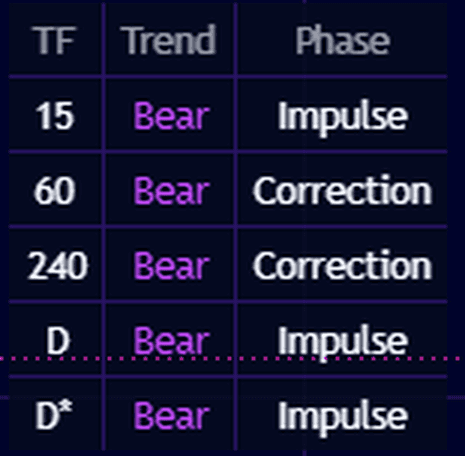
Every timeframe at a glance
Trend and phase on 15m, 1h, 4h and daily, so you know which way the bigger picture leans.
The problem it solves
Most traders can name a trend after it's over. The hard part is knowing, in real time, whether the current move is an impulse, a correction, or the start of a structural shift.
Quantum Wave breaks price down into structural phases — impulse, correction, and trend transitions — using an Elliott Wave-inspired structural engine. It labels structure automatically, so you can align entries with the phase the market is actually in, not the one you hope it's in.
What's included
- Automatic market structure labeling (impulse / correction)
- Trend phase detection across multiple timeframes
- Break of structure and change of character signals
- Elliott Wave-inspired structural counts
- Visual trend context overlay for faster decision-making
- Built for both discretionary and systematic workflows
How traders use it
- Confirm whether a pullback is corrective before adding to a position
- Spot early signs of a structural trend shift
- Align higher-timeframe structure with lower-timeframe entries
Who it's for
- Swing and position traders tracking multi-day structure
- Traders who use Elliott Wave or structural analysis concepts
- Anyone who wants trend context without manually redrawing structure
How access works
Purchase
Choose a Quantum Wave plan and complete checkout.
Link TradingView
Enter your TradingView username in your dashboard.
Access granted
We add access to your TradingView account and confirm by email.
Onboarding
Follow the setup guide and tutorials in your member area.
Launch pricing
Access opens Monday 16 November at these launch prices. Join the waiting list below and we'll email you the moment it opens.
Access opens Monday 16 November
Quantum Wave is launched and the price is set. Join the waiting list now and you'll be first in when access opens Monday 16 November, at the launch price.
FAQ
Quantum Wave is an analytical and educational tool. Quantiq Labs does not provide financial advice, and past performance does not guarantee future results. Read our full risk disclaimer.